How-To Guide · November 2, 2026
How to Hand Over a Website to a Client (Domain, Hosting, Logins)
How to hand over a website to a client: get the final invoice paid, transfer the domain and accounts into their name, walk them through it on a call, and leave a one-page handover doc.

TL;DR
- To hand over a website to a client, get the final invoice paid, put the domain, hosting, and site accounts in the client's name with you added as an admin, then walk them through it on a short call and send a one-page handover doc.
- The domain matters most: if it's registered to you or a former developer, the client doesn't really own their site.
- Never paste passwords into the handover doc or email. Use account invites or a password manager.
- Decide who hosts before you start building, and if you keep hosting, sell it as a monthly plan.
Most Reddit threads on this question agree on the rules but never put them in order. Here's the order, start to finish, for a small local business site.
How do I hand off a website to a client? (step by step)
1. Agree on who owns and hosts what before you build
Settle this in the proposal, not at launch. The common advice on r/webdev and r/webhosting is that the client should own the domain and hosting, ideally created with their business email, with you added as an admin. If you'd rather host it yourself, say so up front and price it as a monthly plan.
2. Get the final invoice paid before you transfer anything
This is the one point nearly everyone agrees on. Send a preview link and the final invoice. Move the domain, repo, or files only after the payment clears. One r/webdev commenter called it the "non-negotiable part" (thread).
3. Transfer the domain and DNS first
Check who the registrant is with a WHOIS or ICANN lookup. If the domain sits in your account, transfer it to a registrar account the client controls. Turn on auto-renew so it can't lapse. If you built on an AI builder, export the project (to GitHub or as a zip) so the client has the source too.
4. Move hosting, site admin, and the other accounts
Go through each account: hosting, the site builder or CMS admin, Google Business Profile, Search Console, Analytics, and the contact form inbox. Send invites from the platform instead of sharing logins, then lower your own access to admin or remove it.
5. Do a 20-minute handover call
Have the owner log into every account while you're on the call, change something small like their hours, and confirm their recovery email and phone work.
6. Send a one-page handover doc
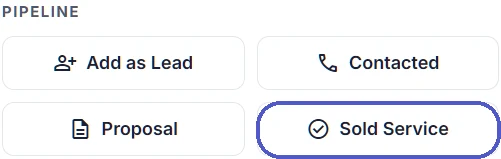
List every service, who owns it, who has access, the renewal dates and who pays them, and who to call when something breaks. No passwords in it. Keep a copy, and in Locasly mark the deal as Sold in your pipeline so your lead list stays accurate.
7. Offer a monthly plan (optional)
Plenty of owners don't want to touch any of this. Offer hosting, updates, and small edits for a monthly fee, with everything still in their name. Here's how to sell website maintenance plans that clients actually keep paying for.
What Reddit users reported
- One r/webdesign freelancer said almost every client they host pays 250 €/year for hosting and tech support, across 3 VPS machines with 50+ domains each (thread). Another reply in that same thread argued the opposite: don't host at all, keep everything in the client's name, and charge for setup plus a retainer.
- One r/webhosting user said they were helping a restaurant with almost 100 employees after the owner died unexpectedly, leaving behind passwords he never wrote down, and that it wasn't the first client of theirs to lose their online accounts that way (thread).
- One r/freelance designer said a client had paid 50% of the invoice for a finished site, but it couldn't launch because the previous developer wouldn't hand over the company's domain (thread).
The takeaway: if the client owns their domain and accounts, both of those last two problems are easy to fix.
FAQ
Should the client or the web designer own the domain?
The client. You can manage it as an admin, but the business should be the registrant and the account holder, so it can't get stuck if you disappear or you two part ways.
Should I host my clients' websites?
You can, as long as it's a clear, paid monthly service and the domain stays in the client's name. If you don't want to be on call when the site goes down, let them own the hosting and charge a retainer for maintenance.
How do I send login details to a client safely?
Use the platform's "invite user" feature or a password manager share. Don't put passwords in email, text, or the handover doc.
What should a website handover include?
The domain and DNS, hosting, site admin access, source files or an export, analytics and Google accounts, renewal dates, and a support contact. For more on keeping clients after launch, see how to keep website clients happy and turn them into referrals.
Steps at a glance
- Agree on ownership and hosting before you build
Put in the proposal who owns the domain and hosting and whether you host it on a monthly plan.
- Get the final invoice paid
Send a preview link and the invoice; transfer nothing until payment clears.
- Transfer the domain and DNS first
Check the registrant, move the domain to a registrar account the client controls, turn on auto-renew, and export the source.
- Move hosting, site admin, and other accounts
Invite the client to hosting, the CMS or builder, Google Business Profile, Search Console, Analytics, and form inbox, then reduce your access.
- Do a 20-minute handover call
Have the owner log into each account, make a small edit, and confirm recovery details.
- Send a one-page handover doc
List each service, owner, access, renewal dates, payer, and support contact, with no passwords.
- Offer a monthly plan
Offer hosting, updates, and edits for a monthly fee while everything stays in the client's name.