How-To Guide · October 25, 2026
How to Write a Prompt for an AI Website Builder
A 6-step guide to writing prompts for AI website builders that get a site built around a real local business, plus an example prompt you can adapt.

AI website builders can draft a full site in minutes, but the first result is only as good as the prompt you give it. A one-line request like "make a website for a bakery" usually gets you a generic template with placeholder text. This guide shows you how to write a prompt that gets a site that actually fits the local business you're building for.
Why most AI website prompts get generic results
- Not enough real details. If you don't give the AI the business name, services, and location, it fills the gaps with guesses.
- No clear goal. A local business site usually has one main job, like getting calls, bookings, or orders. If the prompt doesn't say so, the layout won't focus on it.
- Too much at once. Asking for content, design, and every page in one message gives the AI room to make lots of small choices you didn't want.
How to write a prompt for an AI website builder: 6 steps
1. Start with who the site is for
Open your prompt with context before the request. Say what the business is, where it is, and who its customers are. "A family-owned plumbing company in Merced that mostly gets emergency calls from homeowners" gives the AI far more to work with than "a plumber."
2. Give it the real business details
Paste in facts so the AI doesn't invent them:
- Business name, address, phone number, and hours
- Main services or menu items, in the owner's words if possible
- Service area or neighborhoods
- Google rating and review count, plus a few short public reviews
- Brand colors or a description of the storefront and sign
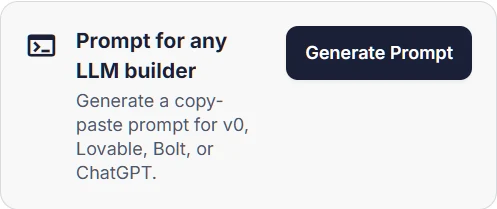
If you use Locasly, the prospect panel already shows the address, phone, website, categories, and Google rating, and the Prompt for any LLM builder card creates a copy-paste prompt for that business you can take into v0, Lovable, Bolt, or ChatGPT.
3. Name the one action visitors should take
Tell the AI what success looks like: "The main goal is getting phone calls. Put a tap-to-call button in the header and repeat it after every section." For a restaurant, it might be viewing the menu or ordering. For a salon, it's booking.
4. Describe sections by their job, not just their name
"Add a services section" gets you three generic cards. Instead, say what each section needs to do, like "a section that shows we serve the whole county and answer emergency calls 24/7" or "a reviews section that uses these three real reviews." Also list what you don't want, such as stock photos of people, fake testimonials, or a pricing table.
5. Give design direction with references, not vague words
Words like "modern" or "clean" mean different things to different tools. Be specific: name the colors (with hex codes if you have them), the feel ("warm and friendly, not corporate"), and the layout ("big photo at the top, hours and address visible without scrolling"). Many builders also accept a screenshot of a layout you like. Always ask for a mobile-first design, since most local customers will find the site on their phone.
6. Iterate one change at a time
After the first draft, fix things with small, focused follow-ups: "Only change the header: make the phone number larger and keep everything else the same." Asking for five changes at once often breaks parts that were already working. Then check every fact on the page, because AI can still add services, awards, or reviews that aren't real. Delete anything you can't confirm.
Example prompt you can adapt
Here's a structure that puts all six steps together. Swap in your business's real details:
Build a one-page, mobile-first website for [Business Name], a [type of business] in [City, State].
Customers are mostly [who they are and what they need].

Main goal: get visitors to [call / book / order]. Put a [Call now / Book] button in the header and after each section.

Real details (use only these, don't invent anything):
- Address: [address]  Phone: [phone]  Hours: [hours]
- Services: [service 1], [service 2], [service 3]
- Service area: [neighborhoods or cities]
- Rating: [4.8] stars from [120] Google reviews
- Reviews to feature: "[short review]", "[short review]"

Sections: a hero with the business name and one-line promise, a services section that explains what they do and who it's for, a reviews section using only the reviews above, and a contact section with a map, hours, and the call button.

Style: [warm and friendly], colors [#hex] and [#hex], large readable text, real-looking photos of [the type of work], no stock photos of people.
Don't add pricing, awards, or testimonials that aren't listed above.
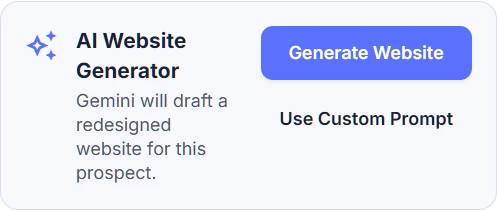
Prefer to stay in one place? Locasly's AI Website Generator drafts a redesigned site for a prospect, and Use Custom Prompt lets you add your own direction, like "put the menu first."
Once you have a draft you like, our guide on how to make a website mockup to pitch a local business covers how to polish it and send it to the owner.
FAQ
How long should an AI website prompt be?
Long enough to include the real details, the main goal, the sections, and the style. That's often 150 to 300 words. Length matters less than being specific.
Should I build the whole site in one prompt?
Use one detailed prompt for the first draft, then make changes one section at a time. Small follow-ups are easier for the AI to get right.
Why does the AI keep making up reviews or services?
It fills in gaps when information is missing. Give it the real details, tell it not to invent anything, and double-check every fact before you show the site to anyone.
Does the same prompt work in v0, Lovable, Bolt, and ChatGPT?
The same structure works across most AI builders. You may need small tweaks for each tool, but clear context, real details, and one goal help everywhere.
Steps at a glance
- Start with who the site is for
Open with what the business is, where it is, and who its customers are.
- Give it the real business details
Paste the name, address, phone, hours, services, service area, rating, and real reviews.
- Name the one action visitors should take
Tell the AI the main goal, like calls, bookings, or orders, and where the button goes.
- Describe sections by their job
Say what each section must do and list what you don't want, like fake testimonials.
- Give specific design direction
Name colors, feel, and layout, share a reference screenshot, and ask for mobile-first.
- Iterate one change at a time
Fix one section per follow-up, then check every fact and remove anything made up.