How-To Guide · October 27, 2026
How to Write a Website Proposal for a Local Business
A short, clear way to write a website proposal for a local business: recap their situation, spell out the scope, give two or three price options, and end with one next step.
You've talked to a local business owner, they liked the idea, and now they say "send me something in writing." That's the proposal. For a small local business, it doesn't need to be a ten-page document. A short, clear proposal that recaps what you discussed and makes it easy to say yes usually works better. This guide shows you how to write one.
What a good local business proposal does
A proposal isn't where you convince someone from scratch. It puts in writing what you already talked about on the call or in person, so there should be no surprises. A good one:
- Shows you understood their business and their problem.
- Says exactly what you'll build and what's not included.
- Gives a clear price, timeline, and payment terms.
- Ends with one simple next step.
One to two pages is plenty for most small business websites.
How to write a website proposal in 7 steps
1. Start with their situation, in plain words
Open with one or two sentences about where the business is today and what they want. Use their words from your conversation, like "most of your customers find you on Google Maps, but there's no website to send them to" or "people can't book online."
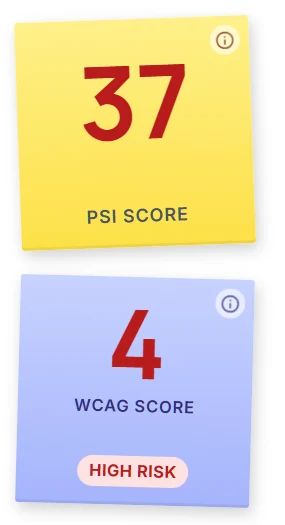
If they already have a site, mention what you found in a neutral, helpful way. Speed and accessibility scores are easy to explain. In Locasly, each prospect shows a PageSpeed (PSI) score and a WCAG accessibility score you can reference.
Keep it about what they're missing, not about what they did wrong. Owners know their business better than you do.
2. Describe the result, not the tech
Owners don't buy page builders or frameworks. They want more calls, more bookings, or fewer "are you open today?" messages. Write one line that names the result, like "a fast, mobile-friendly site that makes it easy to call or book."
3. List the scope clearly
This is where most proposals cause problems later. Be specific:
- Number of pages (for example: Home, Services, About, Contact).
- Who provides the text and photos.
- How many rounds of changes are included.
- What's set up for them: contact form, click-to-call, map, basic SEO titles and descriptions.
- What's not included, like online ordering, logo design, or ongoing posting, unless you're adding it.
4. Add a simple timeline
Give a realistic range from start to launch and what you need from them along the way, such as photos, hours, and a list of services. Clients like knowing when it will be done and what's waiting on them.
5. Offer two or three price options
Instead of one number, give a few packages. A common setup:
- Basic: a smaller site with the essentials.
- Standard: what you actually talked about. Mark this one as recommended.
- Plus: the standard site with an extra they'd like, such as a monthly care plan or extra pages.
Options let the owner pick instead of deciding yes or no. If you're not sure what to charge, see our guide on how much to charge for a small business website.
6. Set payment terms and the next step
State how you get paid, for example a deposit to start and the rest at launch. Add how long the quote is valid. Then give one clear next step, like "reply 'approved' and I'll send the deposit invoice." One step, not three.
7. Send it fast and track it
Send the proposal within a day or two while the conversation is fresh. Attach a link to the mockup if you made one, since seeing their own site makes the proposal real. Here's how to make a website mockup to pitch a local business.
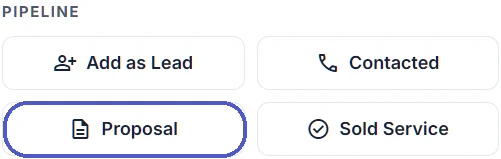
Then mark the prospect so it doesn't slip. In Locasly, the prospect panel has Pipeline buttons, so you can move a business to Proposal and later to Sold Service.
A simple proposal outline you can copy
Proposal for [Business Name] - [Date] - valid 14 days
Where you are now: [1-2 sentences in their words]
What we'll build: [the result in one line]
Included: [pages, features, rounds of changes]
Not included: [list]
Timeline: [start] to [launch]; I'll need [photos, hours, services]
Options: Basic $[ ] / Standard $[ ] (recommended) / Plus $[ ]
Payment: [deposit] to start, rest at launch
Next step: reply "approved" and I'll send the invoice
You can paste this into ChatGPT or another AI tool with your notes from the call to get a first draft, then check every detail and price yourself.
FAQ
How long should a website proposal be?
For a small local business, one to two pages is usually enough. Cover the problem, scope, price, timeline, and next step, and cut the rest.
Should I send a PDF or just an email?
Either works. A simple PDF looks more official, but a clear email with the same sections is fine for smaller projects. What matters is that the scope and price are in writing.
Do I need a contract too?
For anything beyond a very small job, it's smart to have a simple written agreement that covers payment, ownership, and changes. Many freelancers turn the approved proposal into a short contract.
What if they don't reply?
Follow up a few days later with something useful, like the mockup link or an answer to a question they had. Keep it short and friendly.
Steps at a glance
- Start with their situation, in plain words
Open with one or two sentences about where the business is today and what they want, using their words.
- Describe the result, not the tech
Write one line that names the outcome, like more calls or bookings.
- List the scope clearly
Spell out pages, who provides content, rounds of changes, what is set up, and what is not included.
- Add a simple timeline
Give a realistic start-to-launch range and what you need from the client.
- Offer two or three price options
Give Basic, Standard (recommended), and Plus packages so the owner can choose.
- Set payment terms and the next step
State deposit and final payment, how long the quote is valid, and one clear next step.
- Send it fast and track it
Send within a day or two, include the mockup link, and move the prospect to Proposal in your pipeline.